Small fingerprints, a film of dust that shows up against the light, smears from the last attempt at wiping: on a dark screen, every mark stands out. To clean a TV screen you hardly need any products, but you do need the right technique. Today's OLED and LCD panels are far more delicate than a window pane.
In winter, when ski races and ice hockey are on and the television runs more often, a proper clean is worthwhile. These five steps show how to get the screen, housing and remote spotless without damaging the coating.
Why a TV screen attracts dust so quickly
A screen attracts dust, partly because of static electricity. Add greasy fingerprints, cooking vapour from an open-plan kitchen and tiny droplets from sneezes and coughs. On a bright picture you barely notice them; in a dark film scene they are all you see.
Streaks, on the other hand, almost always appear while cleaning: too much liquid, a dirty cloth or one washed with fabric softener, a cleaner that leaves residue, or a panel that is still warm, so the water dries too fast. In many Swiss communes the tap water is also hard and leaves fine limescale marks.
| Problem | Common cause | Solution |
|---|---|---|
| Grey streaks | Cloth too wet, cleaner residue | Wipe again with a dry cloth |
| White rings | Limescale from hard tap water | Use distilled water |
| Fine scratches | Kitchen roll, grit in the cloth | Clean microfibre only |
| Dull or patchy areas | Alcohol, glass cleaner, abrasives | Coating damaged, usually for good |
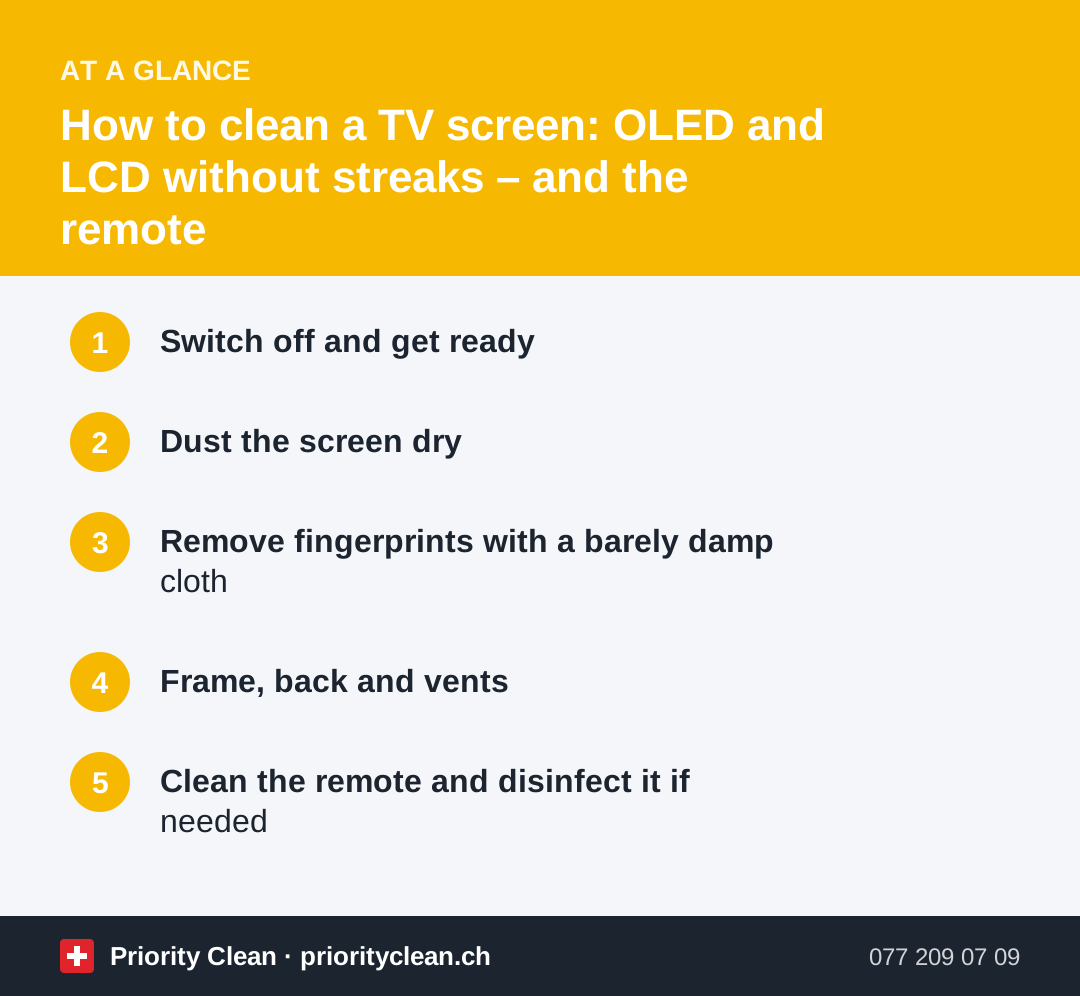
1. Switch off and get ready
- Switch off the TV and pull the plug. You work safely, and on the black screen you can see every mark.
- Wait a few minutes for the panel to cool.
- Check that the set stands firmly or is securely wall-mounted. Hold it by the frame with your free hand while wiping, never by the screen.
- Get your kit ready: two clean, lint-free microfibre cloths, distilled water and a soft brush.
- Take a quick look at the manual: many manufacturers state exactly what is allowed. Their instructions always take priority.
2. Dust the screen dry
Always start dry. Guide the microfibre cloth over the panel without pressing, in calm, straight strokes from top to bottom. That way you pick up the dust instead of turning it into a grey film with water.
Never press on the screen. On LCD sets – including LED and QLED TVs – pressure can damage the liquid crystal layer and the films on top of it. OLED panels are very thin and usually carry a delicate anti-reflective coating. In many cases the screen is already clean after this step.
3. Remove fingerprints with a barely damp cloth
If fingerprints or splashes remain, dampen the second cloth very lightly. It should feel cool, not wet.
- Water: distilled water from the chemist's or supermarket leaves no limescale marks.
- Applying: always put the water on the cloth, never spray it onto the screen. Otherwise drops run into the frame and towards the electronics.
- Wiping: work on the mark gently in straight lines, without pressing or scrubbing in circles.
- Drying: go over it straight away with the dry cloth.
Only use a special screen cleaner if your TV's manufacturer expressly allows it – and even then sparingly and on the cloth. There is no need for a spray for every job: the Federal Office of Public Health (FOPH) points out that good home hygiene matters more than the best cleaning product. Removing dust regularly and wiping surfaces with a damp cloth is enough in most cases.
4. Frame, back and vents
Once the screen is done, move on to the housing:
- Frame and stand: wipe with the barely damp cloth, then dry.
- Vents: dust them with a soft brush or the vacuum cleaner's brush nozzle on a low setting. Don't blow into them, or the dust ends up inside the set.
- Cables and sockets: dust them dry only, never with a damp cloth.
- TV unit and wall: dust bunnies and tangled cables gather behind the set. A look back there belongs in the weekly clean.
For catching dust around the whole flat without just stirring it up, see our tips for dusting.
5. Clean the remote and disinfect it if needed
The remote is passed from hand to hand and often lies on the sofa next to the crisps and biscuits. Here is how to get it clean:
- Take out the batteries.
- Loosen crumbs between the buttons with a dry brush or a soft toothbrush, holding the remote buttons-down.
- Wipe the casing and buttons with a slightly damp cloth; for grease, add a drop of washing-up liquid to the water.
- Go round the edges of the buttons with a cotton bud or a wooden toothpick.
- Let everything dry thoroughly before putting the batteries back in.
Disinfecting isn't necessary day to day: according to the FOPH, an average household of healthy people does not need disinfecting cleaners. If someone in the family has been ill, you can also wipe the buttons with a cloth and a little isopropyl alcohol, provided the manufacturer allows it. For phones, tablets and remotes, see our guide on how to clean your phone screen.
Common mistakes when you clean a TV screen
- Glass cleaner or methylated spirits: alcohol, ammonia and solvents can attack the anti-reflective coating.
- Spraying directly: drops run into the frame and towards the electronics.
- Kitchen roll, tissues or an old T-shirt: fibres and dust particles leave fine scratches.
- Magic eraser or scouring sponge: on the panel they act like sandpaper.
- Pressing hard on stubborn marks: better to wipe gently twice.
- Vinegar as a home remedy: acid has no place on the screen.
Frequently asked questions
What can I clean a TV screen with?
A clean, dry microfibre cloth and, if needed, a second cloth very lightly dampened with distilled water. Only use a special cleaner if the manufacturer allows it, and always apply it to the cloth, never to the screen.
Can you clean an OLED TV with a damp cloth?
Yes, but only barely damp and without pressing. Wipe dry first and tackle only stubborn marks with a slightly dampened cloth. The manual tells you what applies to your model.
Why does my TV screen have streaks after cleaning?
Usually the cloth was too wet, not quite clean or washed with fabric softener, or a cleaner left residue behind. Wipe again with a fresh, dry microfibre cloth and use distilled water next time.
How often should you clean a TV screen?
Dry dusting can be part of your weekly clean; damp wiping is only needed for fingerprints or splashes. Give the remote a wipe every few weeks – and straight away after a round of colds in the family.
Thanks for your feedback! Feel free to share the guide.
Thanks! What was missing? Drop us a line – we will improve the guide. WhatsApp